Computer Virus Removal: How to Remove a Virus?
October 2, 2026
Running a small business in Darwin often means relying on computers, internet connections, email, and other technology every day. When something stops working, even a small technical issue can slow down your team and affect customers.
Small business IT support services in Darwin can help with many of these everyday problems, from computer and Wi-Fi issues to software errors, malware and device setup. Some problems can be fixed remotely, while others may need a technician to visit your workplace.
Here are some of the common technology problems a local business may need help with.
What IT Problems Can a Small Business Support With?
A small business can get technical help with a wide range of problems, including:
- Slow or unreliable computers
- Laptop and desktop issues
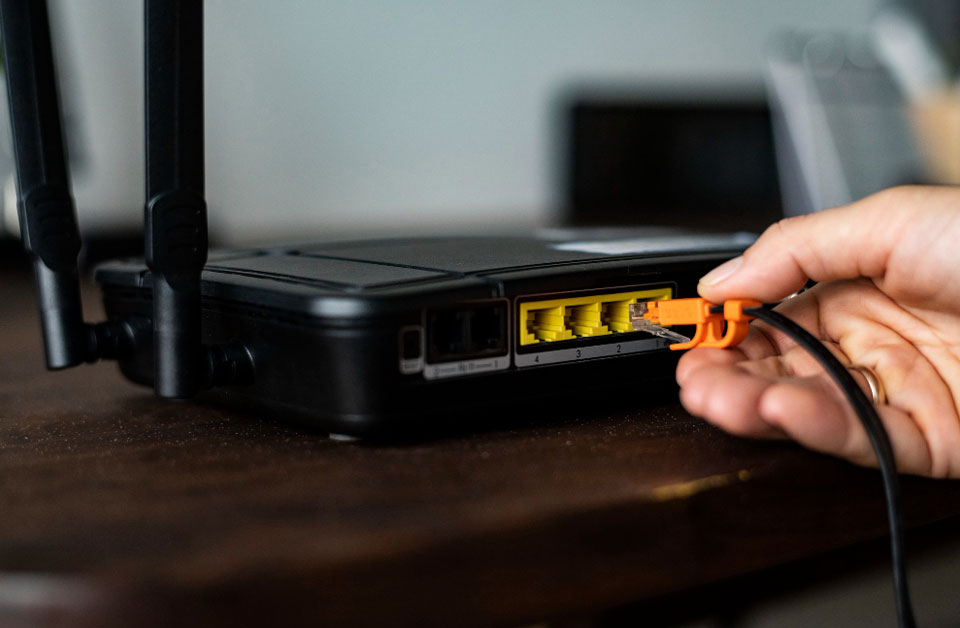
- Wi-Fi and internet connection problems
- Email and software errors
- Virus and malware infections
- Data backup disruption
- New computer or device setup
- Network and connectivity issues
- Remote troubleshooting
- On-site technical assistance
The first step is finding out where the fault is coming from. Sometimes a simple setting needs changing. In other cases, a technician may need to inspect the computer or network more closely.
Computer and Laptop Problems
Computers are often at the centre of day-to-day business work. A slow machine, repeated crashes or software errors can quickly become frustrating.
Common issues include:
- Computers taking too long to start
- Systems freezing during work
- Programs not opening correctly
- Windows errors
- Devices restarting unexpectedly
- Problems after an update
- Laptops becoming slow or unreliable
Buying a new computer is not always the answer. A technician can first check the system to find out what is causing the problem.
If the issue involves the computer itself, professional computer repairs in Darwin can help get the device back to a usable condition.
Internet and Wi-Fi Problems
A reliable internet connection is important for businesses that use cloud applications, email, online services, or shared systems.
You may notice issues such as
- Slow internet
- Wi-Fi dropping out
- Devices failing to connect
- Weak wireless coverage
- Router configuration problems
- One device connecting while another cannot
The first step is to work out whether the issue affects one device or the whole network. This can help identify whether the problem is with the computer, router, wireless connection or internet service.
If you are setting up a new connection or having trouble with your existing Wi-Fi, home and business internet support can help identify the cause.
Email and Software Problems
Email setup issues can cause more than inconvenience when your business depends on regular communication with customers and suppliers.
A technician may be able to help when:
- Emails are not sending or arriving
- An email account needs to be configured
- Software is showing errors
- A program will not install or open
- Updates have caused issues
- Business applications are not working properly
Before removing or reinstalling software, it is worth finding out what is actually causing the problem. A small configuration issue may be enough to stop an application from working.
Virus, Malware and Security Problems
A virus or other form of malware can affect more than one computer. It may slow down work, interfere with software, or put business files and accounts at risk. Warning signs can include unusual pop-ups, browser redirects, unknown programs or unexpected changes to the system.
If you suspect an infection, don’t ignore it. Our guide to computer virus removal explains what to check and when professional help may be needed.
Data Backup and Recovery Problems
A computer problem is much more serious when important business files are at risk.
Small businesses may store invoices, customer information, documents, photographs, and other valuable files on their computers. Losing this information because of a failed drive, malware infection, or accidental deletion can cause major disruption.
A good backup plan gives you another copy of important information if something goes wrong. It is also important to check that backups are actually working. Having a backup system in place does not help much if the files cannot be restored when you need them.
Remote IT Support for Small Businesses
Not every technical problem requires someone to visit your workplace.
Remote assistance can be useful for issues such as software problems, system settings, account configuration and other tasks that can be handled over a secure connection.
This can save time when the problem is straightforward and does not involve physical equipment.
For a business in Darwin, remote IT support can also be useful when you get advice quickly and a visit is not necessary.
When Does a Business Need On-Site IT Support?
Some problems are easier to deal with in person. A technician may need to visit when you are dealing with:
- Physical computer problems
- Multiple devices having connection issues
- Router or network setup
- New equipment installation
- Problems involving cables or other equipment
- A technical issue that cannot be diagnosed remotely
On-site IT Support also gives a technician the opportunity to look at the equipment and setup as a whole rather than relying only on information provided over the phone or online.
When Should a Darwin Business Call an IT Technician?
You don’t need to wait for a complete system failure before getting help
- The same computer problem keeps coming back
- Staff are losing time because of technical issues
- Several devices are affected
- Your internet connection is disrupting work
- You suspect a virus or malware
- Important files are not being backed up
- You are unsure what is causing the problem
- A new device or system needs setting up
Getting the problem checked early can sometimes prevent a small issue from becoming a bigger disruption.
Local IT Support for Small Businesses in Darwin
Every business has different needs. A small office may only need occasional help with computers and connectivity, while another business may need regular assistance with several devices and systems.
Techie4NT provides computer and technology support for customers in Darwin and surrounding areas. Depending on the problem, help may be provided remotely or on-site.
The aim is simple: find out what is wrong, explain the options clearly, and recommend a practical solution instead of suggesting unnecessary work.
If your business is having problems with its computers, internet, or everyday technology, getting the issue checked can help you get back to work with less disruption.
Frequently Asked Questions
It can include help with computers, laptops, internet connections, Wi-Fi, software, email, malware, device setup and other everyday technology problems.
Remote assistance can work well for many software, configuration, and troubleshooting problems. Issues involving physical equipment may require an on-site visit.
A visit may be useful for physical computer problems, network setup, equipment installation, or issues that cannot be resolved remotely.
A technician can help identify suspicious activity, remove unwanted software where possible, and check the computer for other problems. If you suspect an infection, it is best to deal with it rather than continuing to use the affected system without checking it.
Need Help With a Business IT Problem?
A computer, internet, or software problem does not have to bring your working day to a stop. Techie4NT can help businesses in Darwin identify technical issues and find a practical way forward.
Need computer or IT help in Darwin? Contact Techie4NT to discuss the problem and find out what support you need.