Why Is My Laptop Running Slow? Common Causes and Simple Fixes
August 24, 2026
What is Onsite IT support ? A Simple Guide for Businesses
September 7, 2026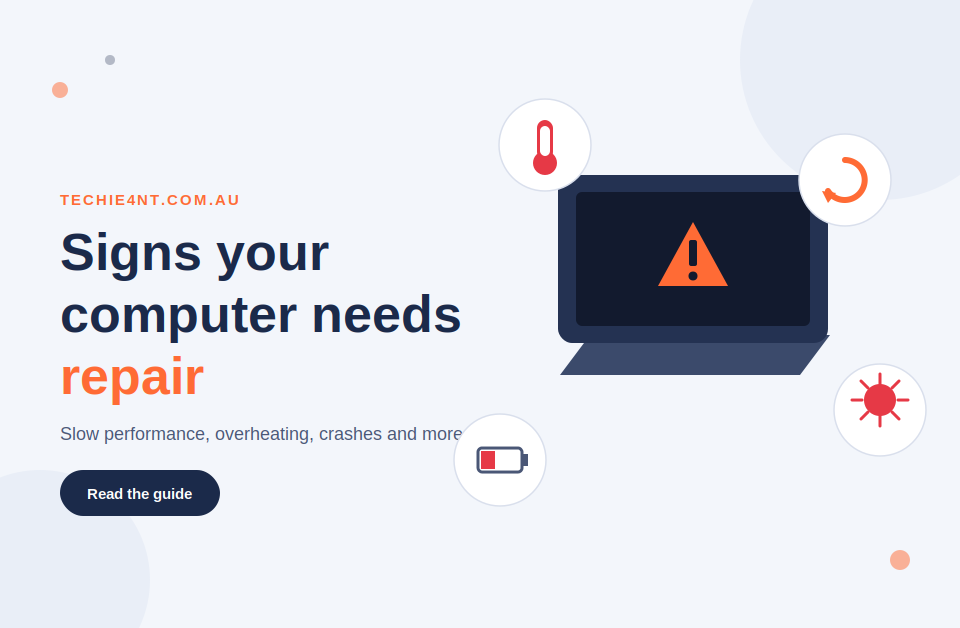
Computers often show warning signs before a bigger problem starts. You may notice that your computer is running slowly, freezing, overheating, or taking too long to start.
Some problems are easy to fix at home. Others need a proper diagnosis. Knowing the signs your computer needs repair can help you act early and avoid bigger problems later.
What Are the Signs Your Computer Needs Repair?
Your computer may need repair if it keeps freezing, crashes often, becomes unusually slow, overheats, makes strange noises, shows repeated error messages, or will not turn on.
Here is a quick look at some common warning signs:
| Computer problem | What it may indicate | What you should do |
| The computer runs very slowly | Storage, software, memory, or hardware issue | Check storage and startup programs |
| Computer keeps freezing | Software, memory, or hardware problem | Note when the freezing happens |
| Computer overheats | Dust, fan, or cooling problem | Check airflow and get it inspected |
| Computer keeps crashing | Software, driver, or hardware issue | Look for error messages |
| Strange clicking or grinding | Possible hardware problem | Back up important files |
| Computer will not start | Power, battery, or hardware fault | Check cables and power supply |
| Files will not open | Storage or file corruption | Stop using the drive if data is important |
One problem does not always mean your computer needs professional repair. However, repeated computer problems should not be ignored.
1. Your Computer Has Become Very Slow
A slow computer is one of the most common problems people notice. Programs may take longer to open. Websites may feel slow. Your computer may also take several minutes to start.
There are several possible reasons. Your storage could be nearly full. Too many programs may run when Windows starts. Malware can affect performance too. Older hardware may also struggle with newer software.
Before calling a technician, you can try a few basic steps:
- Restart the computer
- Check your available storage
- Remove programs you no longer use
- Install pending Windows updates
- Check which programs run at startup
- Run a trusted security scan
If the computer remains slow after these checks, it is sure that it needs repair.
A slow computer does not always mean you need a new one. Sometimes a repair, cleanup, or hardware upgrade can improve performance.
2. Your Computer Keeps Freezing
Does your screen suddenly stop responding? You may click on a program and nothing happens. The mouse may stop moving. Sometimes the computer starts working again after a few minutes. Other times, you have to restart it.
Occasional freezing can happen. Frequent freezing is different.
Repeated freezing may be linked to:
- Software problems
- Low available memory
- Storage problems
- Overheating
- Faulty drivers
- Hardware faults
Try to notice when the freezing happens. Does it happen when you open a particular program? Does it happen after the computer has been running for several hours?
3. Your Computer Keeps Crashing or Restarting
Unexpected crashes can become a serious problem when they happen regularly.
You might see a blue screen, an error message, or a sudden restart. Your computer may also crash when you open a particular application.
Software conflicts, Windows problems, faulty drivers, overheating, and hardware faults can all cause crashes.
If this keeps happening, do not simply restart the computer and carry on.
Write down what happened before the crash. If possible, take a photo of any error message. This can give a computer repair technician useful information when detecting the problem.
4. Your Computer Is Overheating
Computers produce heat during normal use. However, excessive heat can be a warning sign.
You may notice that the fan runs loudly for long periods. The computer may feel unusually hot. It may also become slow or shut down unexpectedly.
Possible causes include:
- Dust around cooling components
- Blocked air vents
- A faulty cooling fan
- Poor airflow
- Heavy system use
- A hardware problem
Keep the computer on a suitable surface and make sure the vents are not blocked. If overheating continues, get the computer checked. Repeated overheating can affect performance and may damage components over time.
5. Your Computer Makes Strange Noises
A computer fan can become louder when the system is working hard. That alone is not always a problem. However, a new clicking, grinding, buzzing, or repeated unusual sound deserves attention.
The noise could come from a fan, hard drive, or another component. It does not automatically mean that a part has failed.
6. Your Computer Takes Too Long to Start
A computer that suddenly takes much longer to start may be showing another warning sign.
Too many startup programs can slow down Windows. Low storage, software problems, updates, or aging hardware can also affect startup time.
Think about when the problem began.
Did you recently install a program? Did Windows update? Are you noticing other problems at the same time?
You can start by checking your startup programs and available storage. If the slow startup continues, professional diagnosis may help find the actual cause.
7. Programs Keep Crashing
If one application keeps closing or showing an error, the problem may be with that program.
The software may need an update. Its files may have become damaged. There could also be a Windows or driver issue. Try updating the program first.
If several different programs start crashing, the problem may be deeper. Your computer could have memory, storage, Windows, driver, or hardware issues. This is a good point to stop guessing and have the computer checked.
8. Your Computer Will Not Turn On
Few things are more frustrating than pressing the power button and getting nothing. Before assuming the computer has completely failed, check the basics:
- Make sure the power cable is connected
- Try another power outlet
- Check the laptop charger
- Look for power lights
- Disconnect unnecessary USB devices
- If appropriate, check whether the battery is charging
If there are still no signs of power, the problem could involve the charger, battery, power supply, motherboard, or another hardware component.
If the computer contains important files, avoid trying random repairs. A proper diagnosis can reduce the risk of making the problem worse.
9. You Keep Seeing Virus or Malware Warnings
Unexpected pop-ups, browser changes, unknown programs, and unusual security alerts can be signs of malware.
You may also notice that your computer suddenly becomes slower or behaves differently.
Be careful with pop-ups that tell you to call a phone number or download an unknown program. These can be scams. If you suspect malware:
- Do not enter passwords into suspicious websites
- Avoid clicking unknown pop-ups
- Run a trusted security scan
- Remove suspicious software if you know it is unsafe
- Back up important files where possible
If the problem continues, professional malware removal can help identify and remove the threat.
10. You Cannot Access Your Important Files
Problems with files can be more serious than they first appear. You may find that folders have disappeared. Files may refuse to open. Windows may fail to recognise a drive.
This can sometimes happen because of software or file corruption. It can also point to a storage device that is starting to fail. If the files are important, stop using the affected drive as much as possible.
Do not install several random recovery programs or keep saving new files to the same drive. These actions can make data recovery more difficult in some situations. A good backup plan can also protect you from future data loss.
Other Warning Signs You Should Not Ignore
Not every computer problem fits into the ten categories above. You should also pay attention if:
- The keyboard or mouse stops working regularly
- USB devices keep disconnecting
- Wi-Fi stops working only on one computer
- Windows repeatedly shows error messages
- Your screen shows unusual lines or flickering
- Your computer shuts down without warning
- The battery drains unusually quickly
- You notice missing files or folders
- Your computer behaves differently after installing unknown software
One small issue may not require a repair. Several problems happening together deserve more attention.
When Should You Call a Computer Repair Technician?
You do not need professional help for every small computer issue. A restart, update, storage cleanup, or simple setting change may solve some problems.
However, you should consider professional help when:
- The same problem keeps coming back
- Your computer freezes or crashes often
- It overheats during normal use
- You hear unusual hardware noises
- The computer will not start
- You cannot access important files
- You suspect malware
- Windows keeps showing errors
- Your computer has become much slower
- Basic troubleshooting has not solved the problem
Getting the problem checked early can sometimes prevent a small issue from becoming a more expensive repair.
Can You Fix a Computer Yourself?
For simple issues, you can try some basic troubleshooting. Start with safe steps such as restarting the computer, checking cables, installing updates, freeing storage, and running a trusted security scan. However, be careful with hardware repairs and data recovery.
If you are not sure what caused the problem, avoid opening the computer or changing advanced settings without knowing what you are doing. You could damage a component or make data recovery harder. When important files are involved, it is better to get advice before trying risky fixes.
Repair or Replace Your Computer?
Not every computer problem means you need to buy a new device.
In some cases, a repair or upgrade can give your computer more useful life.
| Situation | Repair may make sense | Consider replacement |
| Minor software problem | Yes | Usually not needed |
| Computer is slow | Often | If the hardware is very old |
| Failed storage drive | Often | If several parts are failing |
| Broken keyboard or screen | Depends on repair cost | Compare replacement cost |
| Very old computer | Maybe | Often worth comparing options |
| Several hardware faults | Less likely | May be more practical |
The right choice depends on the computer’s age, condition, repair cost, and what you use it for. A technician can help you understand your options before you spend money on a replacement.
Computer Repair in Darwin and Palmerston
If you are looking for computer repair in Darwin or Palmerston, Techie4NT provides local technology support for home users and small businesses.
Common support includes computer performance problems, software issues, hardware faults, malware, Windows problems, internet and Wi-Fi issues, file backup, and other everyday technology needs.
Remote support is also available for suitable software and configuration problems. The aim is simple. Find the problem, explain it clearly, and recommend a practical solution.
Techie4NT can also help with laptop repairs, tablet repairs, mobile phones, internet setup, email, printers, and data backup.
If your computer has started showing several warning signs, getting it checked can help you understand whether you need a simple fix, a repair, or an upgrade.
Frequently Asked Questions
Common signs include slow performance, frequent freezing, crashes, overheating, strange noises, startup problems, malware warnings, and trouble accessing files.
A slow computer may improve after freeing storage, removing unnecessary programs, or checking startup settings. If it remains slow, a technician can help find the underlying problem.
It depends on the computer’s age, condition, and repair cost. A simple repair or upgrade may be worthwhile. If several major components are failing, replacement may make more sense.
Yes. Computer repair can fix software problems.
Yes, if you can do so safely. A backup gives you another copy of important documents, photos, and other files if the storage device fails during or before repair.
Sometimes hardware trouble shows up as repeated crashes, overheating, strange noises, failed ports, startup problems, or files that are missing or inaccessible. A proper diagnosis is the best way to confirm the cause.
Techie4NT provides computer repair and technology support for customers across Darwin and Palmerston. The service covers common computer, laptop, software, hardware, internet, and data problems.
Final Thoughts
Your computer does not always stop working without warning. Slow performance, freezing, overheating, strange noises, crashes, and file problems can all be early warning signs.
The sooner you spot these issues, the easier it may be to find the cause and protect your important files.
If you notice several signs your computer needs repair, Techie4NT can help you understand the problem and find a practical solution in Darwin and Palmerston.