Signs Your Computer Needs Repair: 10 Problems You Should Not Ignore
August 31, 2026
Remote IT Support in Australia: What Can a Technician Fix Remotely?
September 16, 2026
Running a business means dealing with computers, printers, Wi-Fi, software, networks, and other technology every day. When something goes wrong, you need a solution that gets things working again. This is where onsite IT support can help.
Instead of trying to solve every problem over the phone or through remote access, an IT technician comes to your workplace and checks the problem in person. This can be especially useful when the issue involves physical equipment, network connections, office setups, or problems that are difficult to explain remotely.
What is Onsite IT support ?
Onsite IT support means getting technical help at your business or workplace. An IT technician visits your location to inspect, troubleshoot, and fix technology problems.
For example, your office computer may not connect to the network. A printer might stop working. Your Wi-Fi may keep dropping out. You may also need help setting up computers for new staff.
Some of these problems are easy to handle remotely. Others are much easier when a technician can see the equipment and setup in person.
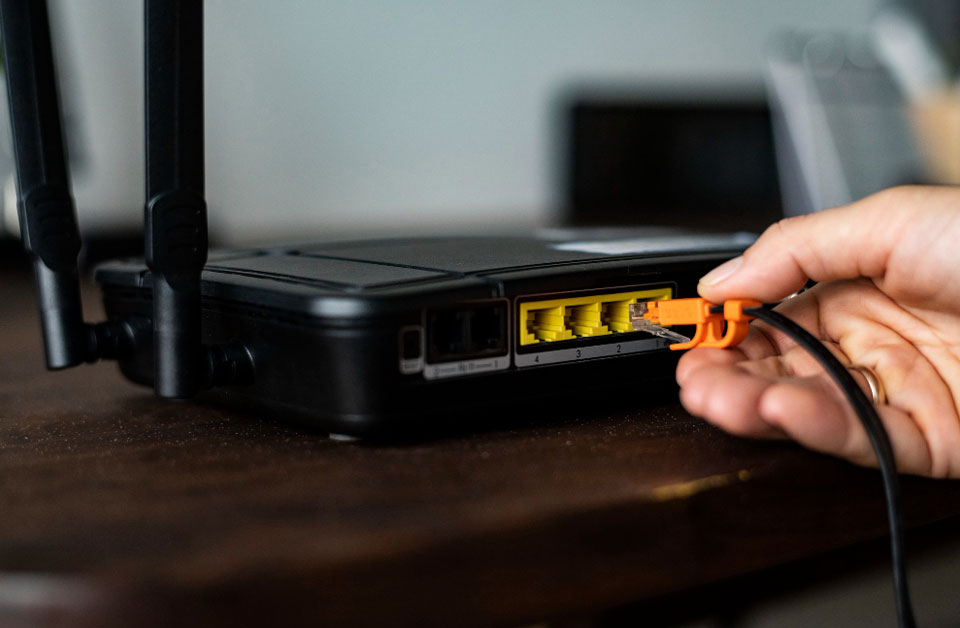
Onsite support gives the technician a chance to check the actual hardware, cables, connections, network equipment, and other devices involved.
What Does an Onsite IT Technician Do?
An onsite IT technician can help with many common technology problems.
Depending on the business and the issue, this may include:
- Checking computers and laptops
- Troubleshooting hardware problems
- Setting up new computers
- Connecting printers and scanners
- Checking Wi-Fi and network problems
- Setting up routers and network equipment
- Troubleshooting software issues
- Helping with email and account setup
- Checking cables and physical connections
- Helping with office technology setups
- Finding the cause of recurring computer problems
- Providing general ICT support
The exact service will depend on the technician and the needs of your business.
What Problems Need Onsite IT Help?
Not every IT problem requires a technician to visit your workplace. However, some issues are much easier to deal with in person.
Computer and hardware problems
A computer might not turn on, crash frequently, overheat, or exhibit symptoms of a hardware malfunction. An on-site technician can inspect the device and look for physical problems.
Network and Wi-Fi problems
Slow or unreliable Wi-Fi can affect an entire office. The technician can check the router, connections, network equipment, and devices to find where the problem is coming from.
Printer and scanner problems
In hectic offices, printers frequently lead to frustration. A technician can check the printer, cables, network connection, drivers, and computer settings.
New office or computer setup
When you’re creating a new workplace or adding computers for new staff, onsite support can help simplify the process. A technician can help connect devices and make sure everything works together.
Problems that keep coming back
Sometimes a quick fix only solves the problem for a short time. If it continues to be the same issue, then an onsite technician can look at the wider setup, rather than just treating the immediate symptom.
Onsite IT Support vs Remote IT Support
Remote IT support allows a technician to help you without visiting your workplace. It can work well for many software problems and basic troubleshooting.
Onsite support takes place at your location.
| Onsite IT Support | Remote IT Support |
| Technician visits your workplace | Technician helps from another location |
| Useful for physical hardware problems | Useful for many software problems |
| Technician can inspect equipment | Technician relies on remote access or your explanation |
| Helpful for office and network setups | Often suitable for quick troubleshooting |
| Useful when physical access is needed | Convenient for problems that don’t need a site visit |
Neither option is always better.
A simple software problem may only need remote help. A network, hardware, or office setup issue may be easier to resolve onsite. In some cases, businesses use both.
When Does a Business Need Onsite Support?
You may benefit from onsite support when technology problems are starting to interrupt normal work.
Some common signs include:
- Staff cannot connect to the office Wi-Fi
- Several computers have the same network problem
- A printer will not connect
- New computers need to be installed
- Hardware needs to be checked
- Your office is moving or changing its setup
- Computer problems keep happening
- You cannot identify the cause of an IT issue
- Remote troubleshooting has not solved the problem
You don’t always need to wait until a major problem happens. Getting help with a technology setup early can prevent small issues from becoming bigger disruptions.
Is Onsite IT Support Useful for Small Businesses?
Yes. Small businesses may not have a full-time IT technician on staff. That does not mean they won’t have IT problems.
A small office still depends on computers, internet connections, printers, email, Wi-Fi, and other technology. When one of these stops working, it can affect the whole team.
Onsite IT support gives smaller businesses access to technical help when they need it without necessarily having to employ a full-time IT specialist.
The right level of support depends on the size of the business, the technology it uses, and how often problems occur.
How Does an Onsite IT Support Visit Work?
The process is usually straightforward. First, you explain the problem and give the technician some basic information about what is happening.
The technician then visits your workplace and checks the affected equipment or system.
They may inspect:
After finding the likely cause, the technician can recommend the appropriate fix. Some problems can be resolved during the visit. More complex issues may need additional work.
How Much Does Onsite IT Support Cost?
The cost of onsite IT support can vary. It may depend on the type of problem, the amount of work required, the number of devices involved, and how far the technician needs to travel.
A simple troubleshooting visit will not necessarily cost the same as a larger office network setup.
For this reason, it is better to explain your problem before assuming what the service will cost. A technician can then tell you what type of support may be required.
Onsite IT Support in Darwin and Palmerston
Businesses in Darwin and Palmerston rely on technology for everyday tasks. A computer problem, unreliable Wi-Fi connection, or printer issue can quickly slow down normal work.
Techie4NT provides ICT support for customers who need practical help with their technology.
It can be useful when a problem needs someone to physically check the equipment, connections, or workplace setup. It can also help when a business is installing new equipment or dealing with an issue that has not been solved remotely.
If you operate a business in Darwin or Palmerston and need hands-on technical assistance, Techie4NT can help you identify the problem and work out the right solution.
Onsite Support Does Not Replace Remote Support
It is easy to think of onsite and remote support as two competing services. In reality, they can work together.
A technician may first try to solve a problem remotely. If that does not work, an onsite visit may be the next step.
The opposite can also happen. Once your gear is checked out in person, a technician may be able to repair future problems remotely.
Using the right type of support for each situation can save time and reduce unnecessary disruption.
Frequently Asked Questions
Onsite IT support means a technician visits your workplace. Remote IT support allows a technician to troubleshoot your technology from another location. The right option depends on the type of problem.
An onsite technician can inspect computer hardware and troubleshoot many common hardware-related problems. The available repair will depend on the device and the fault.
Yes. An onsite technician can check your router, network equipment, connections, device settings, and other parts of your setup to help identify Wi-Fi problems.
Small businesses can benefit from onsite support when they have technology problems that cannot be solved easily on their own or through remote assistance.
Not always. Remote support can be quicker for some software problems, while onsite support can be more useful for hardware, network, and physical setup issues.
If a problem involves physical equipment, keeps occurring, affects multiple devices, or cannot be resolved through normal troubleshooting, consider onsite support.
Get Help With Your Business Technology
Technology problems do not always give you a clear answer. Sometimes restarting a computer or checking a cable is enough. Other times, you need someone to look at the complete setup.
Onsite IT support gives businesses access to hands-on technical help when a problem needs to be checked at the workplace.
For businesses in Darwin and Palmerston, Techie4NT can provide practical ICT support for computers, networks, Wi-Fi, printers, and other technology needs. If you’re stuck with an IT problem that can’t easily be solved remotely, getting the equipment checked out in person may be the next best step.